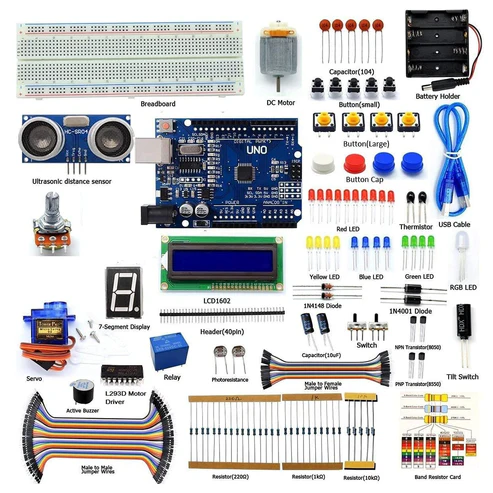
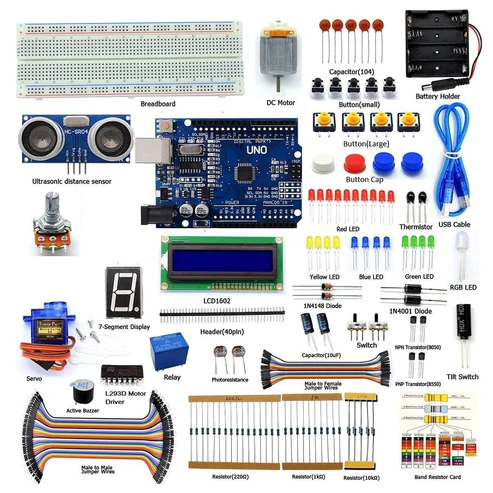
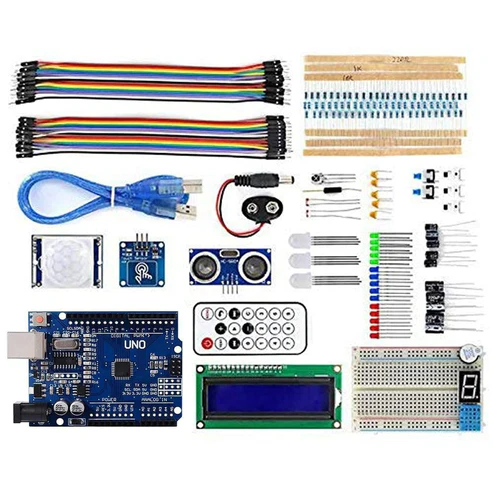
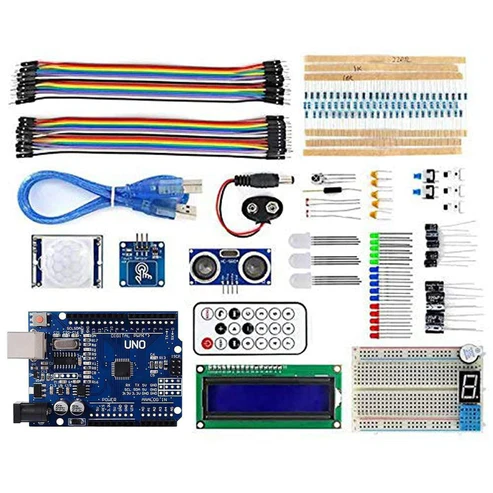
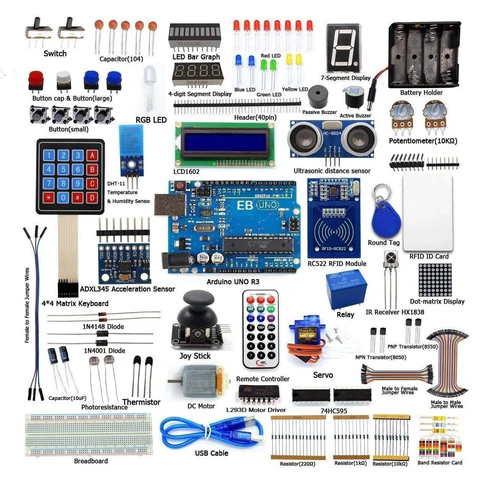
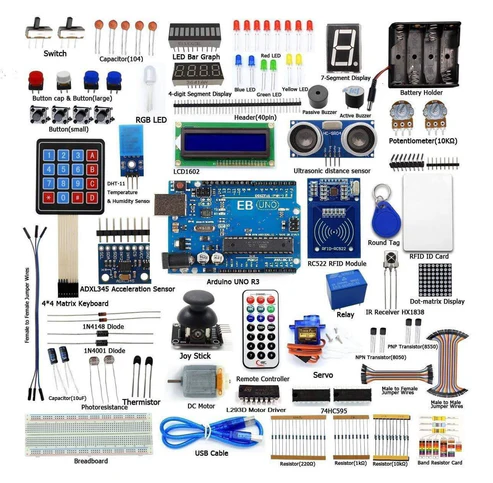
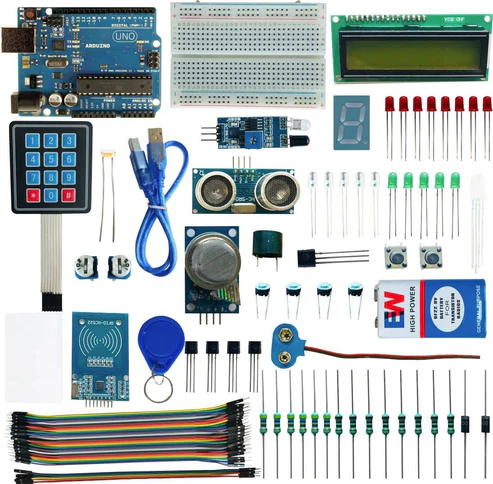
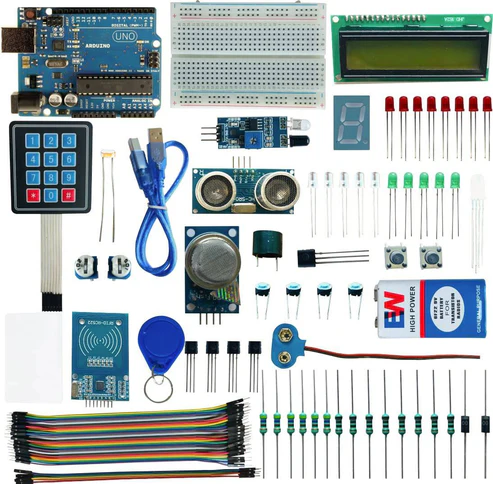
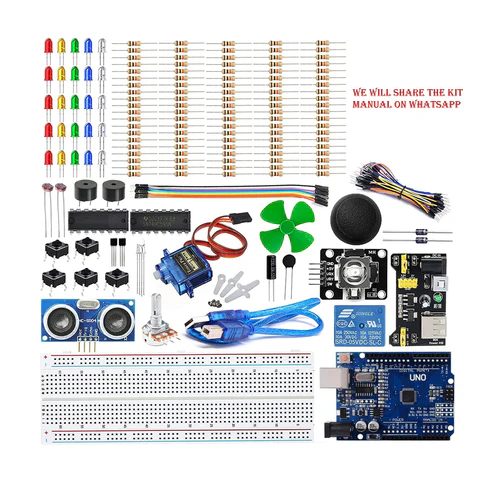
The application of Smart Medicine Reminder is very wide and can be used by patients at home, doctors at hospitals and many other places to take medicine on time. We are making a simple Medicine Reminder Using Arduino which reminds us to take medicines 1 or 2 or 3 times a day. The time slot can be selected using push buttons. Also, it shows the current Date and Time.
After downloading all these libraries go to sketch -> include libraries -> add .zip libraries
#include <LiquidCrystal.h>
#include <Wire.h>
#include <RTClib.h>
#include <EEPROM.h>
RTC_DS3231 rtc;
const int rs = 12, en = 11, d4 = 6, d5 = 5, d6 = 4, d7 = 3; // lcd pins
LiquidCrystal lcd(rs, en, d4, d5, d6, d7);
int buzz = 13;
int addr=17;
const int buttonPin2 = 9;
const int buttonPin3 = 8;
const int buttonPin1 = A0;
const int buttonPin4 = 7; // the pin that the pushbutton is attached to
int val2 = 0;
int val3=0;
int pushVal;
int bS1 = 0; // current state of the button
int lBS1 = 0; // previous state of the button
int bS2 = 0; // current state of the button
int lBS2 = 0;
int bS3 = 0; // current state of the button
int lBS3 = 0;
int bS4 = 0; // current state of the button
int lBS4 = 0;
// configure the pins to the right mode
int buzz8amHH = 08; // HH – hours ##Set these for reminder time in 24hr Format
int buzz8amMM = 00; // MM – Minute
int buzz8amSS = 00; // SS – Seconds
int buzz2pmHH = 02; // HH – hours
int buzz2pmMM = 00; // MM – Minute
int buzz2pmSS = 00; // SS – Seconds
int buzz8pmHH = 09; // HH – hours
int buzz8pmMM = 00; // MM – Minute
int buzz8pmSS = 00; // SS – Seconds
int nowHr, nowMin, nowSec;
void gwsMessege(){ // print get well soon messege
lcd.clear();
lcd.setCursor(0, 0);
lcd.print(“Stay Healthy :)”); // Give some cheers
lcd.setCursor(0, 1);
lcd.print(“Get Well Soon :)”);// wish
}
void helpScreen() { // function to display 1st screen in LCD
lcd.clear();
lcd.setCursor(0, 0);
lcd.print(“Press Buttons”);
lcd.setCursor(0, 1);
lcd.print(“for Reminder…!”);
}
void timeScreen() { // function to display Date and time in LCD screen
DateTime now = rtc.now(); // take rtc time and print in display
lcd.clear();
lcd.setCursor(0, 0);
lcd.print(“Time:”);
lcd.setCursor(6, 0);
lcd.print(nowHr = now.hour(), DEC);
lcd.print(“:”);
lcd.print(nowMin = now.minute(), DEC);
lcd.print(“:”);
lcd.print(nowSec = now.second(), DEC);
lcd.setCursor(0, 1);
lcd.print(“Date: “);
lcd.print(now.day(), DEC);
lcd.print(“/”);
lcd.print(now.month(), DEC);
lcd.print(“/”);
lcd.print(now.year(), DEC);
delay(500);
}
void setup()
{
Wire.begin();
rtc.adjust(DateTime(F(__DATE__), F(__TIME__))); // uncomment this to set the current time and then comment in next upload when u set the time
//rtc.adjust(DateTime(2019, 10, 12, 15, 50, 30)); // manual time set
lcd.begin(16, 2);
lcd.clear();
lcd.setCursor(0, 0);
lcd.print(“Welcome To Our”); // print a messege at startup
lcd.setCursor(0, 1);
lcd.print(“Medicine Reminder”);
delay(1000);
gwsMessege();
delay(3000);
helpScreen();
delay(2000);
timeScreen();
delay(3000);
lcd.clear();
pinMode(buttonPin1, INPUT);
pinMode(buttonPin2, INPUT);
pinMode(buttonPin3, INPUT);
pinMode(buttonPin4, INPUT);
pinMode(buzz, OUTPUT);
Serial.begin(9600);
}
void ValSet(){
Serial.println(EEPROM.read(addr));
val2 = EEPROM.read(addr); // read previosuly saved value of push button to start from where it was left previously
switch (val2) {
case 1:
lcd.clear();
lcd.setCursor(0, 0);
lcd.print(“Reminder set “);
lcd.setCursor(0, 1);
lcd.print(“for Once/day !”);
pushVal = 1;
delay(500);
break;
case 2:
lcd.clear();
lcd.setCursor(0, 0);
lcd.print(“Reminder set “);
lcd.setCursor(0, 1);
lcd.print(“for Twice/day !”);
pushVal = 2;
delay(500);
break;
case 3:
lcd.clear();
lcd.setCursor(0, 0);
lcd.print(“Reminder set “);
lcd.setCursor(0, 1);
lcd.print(“for Thrice/day !”);
pushVal = 3;
delay(500);
break;
}
}
// the main loop will constantly check to see if the button has been pressed
// if it has, a counter is incremented, and then some action can be taken
void loop()
{ //call to set thrice/day
if (pushVal == 1) { // if push button 1 pressed then remind at 8am
at8am(); //function to start uzzing at 8am
}
else if (pushVal == 2) { // if push button 2 pressed then remind at 8am and 8pm
at8am();
at8pm(); //function to start uzzing at 8mm
}
else if (pushVal == 3) { // if push button 3 pressed then remind at 8am and 8pm
at8am();
at2pm(); //function to start uzzing at 8mm
at8pm();
}
// read the state of the button
bS1 = digitalRead(buttonPin1);
bS2 = digitalRead(buttonPin2);
bS3 = digitalRead(buttonPin3);
bS4 = digitalRead(buttonPin4);
// check to see if it different than the last time we checked
if (bS2 != lBS2) {
// either the button was just pressed or just released
if (bS2 == HIGH) {
// it was just pressed
Serial.println(“n02”);
EEPROM.write(17,1);
push1();
delay(1000);
}
}
lBS2 = bS2;
if (bS3 != lBS3) {
// either the button was just pressed or just released
if (bS3 == HIGH) {
// it was just pressed
Serial.println(“no3”);
EEPROM.write(17,2);
push2();
delay(1000);
}
}
lBS3 = bS3;
if (bS4 != lBS4) {
// either the button was just pressed or just released
if (bS4 == HIGH) {
// it was just pressed
Serial.println(“no4”);
EEPROM.write(17,3);
push3();
delay(1000);
}
}
lBS4 = bS4;
if (bS1 != lBS1) {
// either the button was just pressed or just released
if (bS1 == HIGH) {
val3=EEPROM.read(addr);
EEPROM.write(17,0);
digitalWrite(buzz, LOW);
pinstop();
EEPROM.write(17,val3);
}
}
lBS1 = bS1;
timeScreen();
ValSet();
}
void push1() { // function to set reminder once/day //save the state of push button-1
lcd.clear();
lcd.setCursor(0, 0);
lcd.print(“Reminder set “);
lcd.setCursor(0, 1);
lcd.print(“for Once/day !”);
delay(1200);
lcd.clear();
}
void push2() { //function to set reminder twice/day
lcd.clear();
lcd.setCursor(0, 0);
lcd.print(“Reminder set “);
lcd.setCursor(0, 1);
lcd.print(“for Twice/day !”);
delay(1200);
lcd.clear();
}
void push3() { //function to set reminder thrice/day
lcd.clear();
lcd.setCursor(0, 0);
lcd.print(“Reminder set “);
lcd.setCursor(0, 1);
lcd.print(“for Thrice/day !”);
delay(1200);
lcd.clear();
}
void pinstop(){ //function to stop buzzing when user pushes stop push button
lcd.clear();
lcd.setCursor(0, 0);
lcd.print(“Take Medicine “);
lcd.setCursor(0, 1);
lcd.print(“with Warm Water”);
delay(5000);
lcd.clear();
}
void at8am() { // function to start buzzing at 8am
DateTime t = rtc.now();
if (int(t.hour()) == buzz8amHH && int(t.minute()) == buzz8amMM && (int(t.second()) == buzz8amSS || int(t.second()) < buzz8amSS+10)) {
/////////////////////////////////////////////////////
digitalWrite(buzz,HIGH);
lcd.clear();
lcd.setCursor(0, 0);
lcd.print(“Time to take “);
lcd.setCursor(0, 1);
lcd.print(“Morning medicines.”);
delay(5000);
/////////////////////////////////////////////////////
}
}
void at2pm() { // function to start buzzing at 2pm
DateTime t = rtc.now();
if (int(t.hour()) == buzz2pmHH && int(t.minute()) == buzz2pmMM && (int(t.second()) == buzz2pmSS || int(t.second()) < buzz2pmSS+10)) {
/////////////////////////////////////////////////////
digitalWrite(buzz,HIGH);
lcd.clear();
lcd.setCursor(0, 0);
lcd.print(“Time to take “);
lcd.setCursor(0, 1);
lcd.print(“Afternoon medicines.”);
delay(5000);
/////////////////////////////////////////////////////
}
}
void at8pm() { // function to start buzzing at 8pm
DateTime t = rtc.now();
if (int(t.hour()) == buzz8pmHH && int(t.minute()) == buzz8pmMM && (int(t.second()) == buzz8pmSS || int(t.second()) < buzz8pmSS+10)) {
/////////////////////////////////////////////////////
digitalWrite(buzz,HIGH);
lcd.clear();
lcd.setCursor(0, 0);
lcd.print(“Time to take “);
lcd.setCursor(0, 1);
lcd.print(“Night medicines.”);
delay(5000);
/////////////////////////////////////////////////////
}
}
WORKING AND OUTPUT
Welcome to the Arduino-based project.
The Pill Reminder Alarm is powered using a 5V supply. When it first boots up, it shows a welcome message as “Welcome to Healthcare”. The LCD screen is set to cycle in three screens. The 1st screen shows a message as “Stay Healthy, Get Well Soon”. The second screen is a help screen which tells to press the push button to select any one-time slot to remind (once/twice/thrice in a day). The time slot is changeable in the program and can be configured accordingly. Right now we have fixed this into three durations i.e. 8 am, 2 pm, and 8 pm.
We have divided time slots into three modes. Mode 1 selects to take medicine once/day at 8 am when the user presses 1st push button. Mode 2 selects to take medicine twice/day at 8 am and 8 pm when the user presses the 2nd push button. Mode 3 selects to take medicine thrice/day at 8 am, 2 pm and 8 pm if the user presses the 3rd push button.
When the user selects desired slots by pressing push buttons, the user input is recorded and the time is taken from RTC. When time is matched with the selected time slot then the buzzer starts buzzing. Users can stop the buzzer by pressing the STOP button. The same process continues for the next slot reminder.